
Snapchat Account Locked? How to Unlock It (Temporary vs Permanent Locks, the Appeal, and What “No Appeal Option” Means)
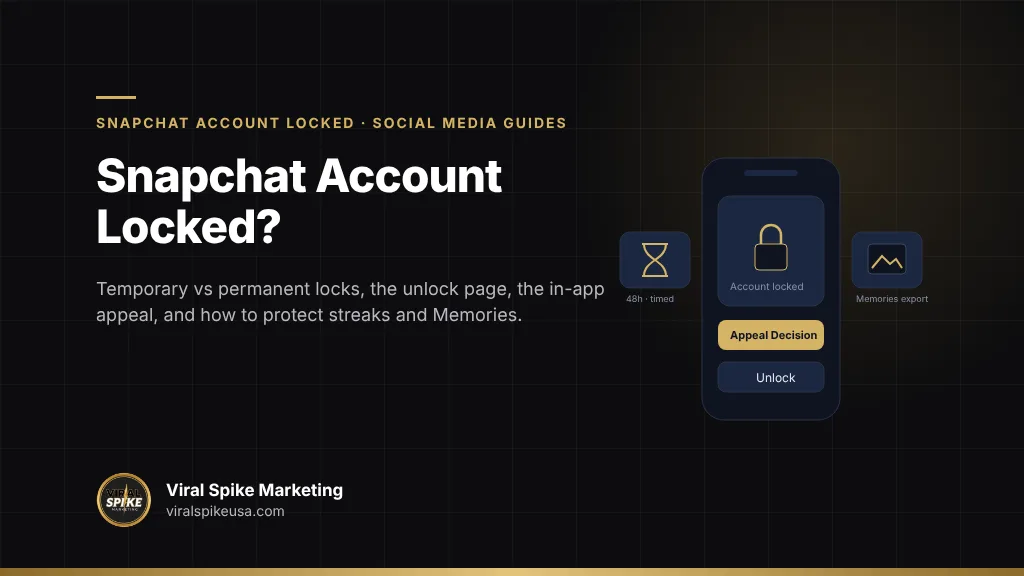
A locked Snapchat account is unlocked in one of three ways, and the message on your login screen tells you which applies. A temporary lock clears by signing in at accounts.snapchat.com and selecting “Unlock,” or by waiting out the period Snap states, which its support pages put at 48 hours for most temporary locks and at the duration shown in your notice for third-party app locks. A permanent lock for a Community Guidelines or Terms of Service violation can only be appealed by opening the app, attempting to log in, and tapping “Appeal Decision” on the pop-up; Snap says that if you do not see that button “your account lock is not eligible to appeal,” and that in-app appeals are “the only legitimate way” to contest a lock. Snap’s stated review window is up to 30 days, with a target of two weeks. A compromised-account lock goes through the Snapchat Support Bot and a password reset.
Key takeaways
- Snap lists five lock causes: guideline violations, suspicious activity such as excessive friend requests, suspected compromise, a banned device, and third-party apps or plugins.
- Third-party app locks are timed. Remove the app, update Snapchat, and log back in after the period in your notice. Snap says its team cannot shorten these locks.
- “Appeal Decision” on the login pop-up is the only appeal. No button means no appeal, and support tickets outside that process “will not expedite your appeal.”
- Appeals can be filed within six months of the decision; Snap aims to answer within two weeks and says reviews may take up to 30 days.
- Memories can usually be exported from a locked account through My Data at accounts.snapchat.com, and recently expired Streaks can be restored once you are back in.
Is my Snapchat lock temporary or permanent?
Snap’s My Snapchat account is locked page organizes locks by the message you see in the app. Match yours to the table.
| Login message | Type | What Snap says to do |
|---|---|---|
| “Temporarily locked due to unauthorized third-party app or plugin use” | Temporary, timed | Check the in-app message or your email for the lock period. Remove the app or plugin, update Snapchat, and log in after the period ends. |
| “Temporarily locked” for another reason | Temporary | “Please wait 48 hours, then try logging in again,” or sign in at accounts.snapchat.com and select Unlock. |
| “Looks like it was compromised and has been locked just to be safe” | Security lock | Troubleshoot with the Snapchat Support Bot; change your password and confirm your email and phone. |
| “Permanently locked for violating our Community Guidelines or Terms of Service” | Permanent | “You will not be able to unlock it.” If a pop-up offers Appeal Decision, appeal in the app; if not, the lock is not eligible. |
| Error codes SS18, SS06 or SS07 | Device ban | The device, not just the account, is blocked. SS07 means too many accounts were tied to the device. Appeal only through the in-app process. |
Snap’s I can’t access my account page adds two states that look like locks but are not: too many login attempts in a short period (wait 48 hours), and using more than one account on a device when one has violated the Terms, which can block Snapchat on that device “for an extended period of time.” In both cases the account is intact; the device is cooling off.
Why does Snapchat lock accounts?
Snap’s locked-account page lists the reasons directly. “Your account can be locked if we identify content or other behavior that goes against our Community Guidelines or Terms of Service; suspicious activity, such as sending excessive friend requests to multiple Snapchatters in a short time; your account may have been compromised; your account was logged into from a banned device; a third-party app, tweak, or plugin being used to access Snapchat.”
Third-party apps, tweaks and plugins
This is the most common cause among adult users and the easiest to prevent. Snap’s third-party apps page explains that unauthorized apps “use your Snapchat login information (username and password) to access Snapchat services” rather than the secure Snap Kit connection, and names examples including Wicked, SnapEnhance, iota, Snapchat Plus or Snapchat++, Phantom and SnapTools, as well as emulators. It warns that login trouble can continue “for some time” after deletion, that jailbroken devices may need the jailbreak removed, and, bluntly, “if your account is locked, Team Snapchat will not be able to unlock it.” LinkedIn applies the same logic to automation tools, which we walk through in how to appeal a restricted LinkedIn account.
Community Guidelines violations
Snap’s Community Guidelines cover sexual content, threats, hateful content, harassment, illegal or regulated activities, and deceptive practices, and apply to “usernames and display names, Bitmojis, text, images, videos, generative AI, links or attachments.” The deceptive-practices section prohibits “pretending to be someone (or something) that you’re not” and spam including “pay-for-follower promotions or other follower-growth schemes.” For severe harms Snap says “we disable those accounts,” and a disabled account means “you are not allowed to use Snapchat again without our permission.” Impersonation sits under the deceptive practices heading on every network, and when the problem is a fake profile rather than a lock, our guide to reporting an Instagram impersonation account covers that process.
Age
Snap’s Terms of Service state “you must be 13 (or older, depending on where you live) to use Snapchat.” Accounts reported or detected as underage are locked, and a birthday entered incorrectly at signup is a common cause for adults.
Suspicious login or compromise
Logins from unfamiliar devices or locations, a changed email or phone, or spam sent from the account trigger a protective lock. Snap’s compromised account page lists the signs, including notification of a login you do not recognize, two-factor authentication “added by someone else,” and a data export you did not request. Snapchat has no paid support tier for this, and on Meta’s side the subscription helps less than people expect, as we explain in Meta Verified and hacked account recovery.
How do I unlock a temporarily locked Snapchat account?
For a temporary lock, the process is short and there is no form to fill in.
- Read the lock period. Snap says the in-app error or the email on your account states “how long the lock period is and when the lock will end” for third-party locks. Other temporary locks are 48 hours.
- Remove the cause. Uninstall any unauthorized app, tweak or plugin on every device you use. On a jailbroken or rooted phone, Snap says you may need to upgrade the OS or remove the jailbreak for the uninstall to take.
- Update the official app to the latest version before trying again.
- Unlock. After the period ends, log in through the app, or go to the Snapchat Accounts Portal and select Unlock, as Snap’s access page describes.
- Change your password immediately, because any third-party app had it, and confirm the email and phone number on the account.
Two things make a temporary lock longer. Attempting to log in repeatedly during the lock can add a login-attempt cooldown. And logging in from a device that still has the plugin installed re-triggers the lock, often for a longer period. If you share a device with someone who uses a tweak, that device will keep locking your account.
How does the Snapchat appeal work, and what does “no appeal option” mean?
Snap’s How to Submit an Appeal page is the full policy, and it is unusually specific.
What can be appealed. “If an account is locked by our Trust & Safety teams for content that violated our Community Guidelines or Terms of Service or because it was determined to constitute illegal content under applicable law, that decision can be appealed.” Visibility restrictions on Spotlight and Map content have a separate appeal. Temporary locks for third-party apps are not appealable, because they expire.
How. “Open the app, try to log in, and tap ‘Appeal Decision’ on the pop-up notification.” That is the whole mechanism. “If you don’t see a pop-up notification with the option to ‘Appeal Decision,’ then your account lock is not eligible for an appeal.” Snap repeats that the in-app process is “the only legitimate way” and that outside tickets “will not expedite your appeal or affect your account lock status.”
Deadline and status. You can appeal “at any time within six months, starting on the day you were informed of the decision.” While it is under review “the original enforcement generally remains in place.” Snap emails the result, so the email on the account must be one you can read; if a hijacker changed it, fix that through the compromised-account route first.
What “no appeal option” means. Snap does not offer appeals for every lock. Device bans, repeat violations, and the severe-harm categories where Snap disables accounts outright typically show no button, and Snap’s locked page says of a permanent lock, “you will not be able to unlock it.” There is no secondary form, email address or phone line that reopens these. EU residents have one more route after an unsuccessful appeal: “any out-of-court dispute settlement body that has been certified in accordance with Article 21.3 of the Digital Services Act.” This is general information about Snap’s published policies, not legal advice.
When the button does appear, keep the text factual: what the account is, what you believe was flagged, why it was not a violation or what you have since removed, and that you have read the guidelines. The approach is the one laid out in how to file an appeal that gets read.
How long does a Snapchat lock or appeal take?
Snap publishes more timeline detail than most platforms, so there is less guessing here.
| Situation | Snap’s published timing | Source |
|---|---|---|
| Temporary lock, third-party app | The period stated in the app or email; log in after it ends | Locked account page |
| Temporary lock, other reason | Wait 48 hours | Locked account page |
| Too many login attempts | Wait 48 hours | Can’t access my account page |
| Appeal window | Up to six months from the day you were notified | How to Submit an Appeal |
| Appeal decision | Target of two weeks, “only a rough estimate”; review “may take up to 30 days” | How to Submit an Appeal; locked account page |
| Deactivated account reactivation | 30 days before permanent deletion | Can’t access my account page |
If your appeal passes 30 days with no email, check the spam folder and confirm the address on the account. A second appeal is not possible for the same decision, and support tickets do not move the queue. For an account you use daily, a 30-day review feels like a loss, which is exactly why the scams below work.
How do I protect my streaks and Memories while locked out?
Most people locked out of Snapchat are worried about years of Memories and a few long Streaks. Both have official paths.
Memories
Snap’s locked page says you can download Memories and other data from a locked account: log in at accounts.snapchat.com, click “My Data,” select the data types, choose a date range or all data, confirm your email and submit. Snap emails a link when the export is ready. The caveat in Snap’s words: “data may not be available for some locked account types,” which in practice means permanently locked accounts may not export. Do this on the first day of any lock, not the last.
Storage rules have also changed. TechCrunch reported in October 2025 that Snapchat capped free Memories storage at 5GB, with paid tiers above it. Snap’s download my data page describes a Memories-only export; a periodic export to your own storage is the only backup that does not depend on the account.
Streaks
Snap’s Streaks page says a Streak expires when “more than a day passed without a new Snap from everyone in the Chat,” so a lock longer than a day ends every active one. Its Streak restore page says to look for a “Restore” button next to the chat once you are back in; if it is missing, “your Streak cannot be restored,” usually because it “ended too long ago.” Snap gives each user one free Streak Restore, after which the in-app price applies, and offers a form for failed restores with the note that “only recently expired Streaks can be restored.” Do it the day you regain access.
Chats and friends
Saved chats, friends and Snapscore return with the account unless it is permanently locked and later removed. What is not preserved is anything a hijacker deleted while inside, which is why securing a compromised account comes before any appeal.
Which Snapchat unlock scams should I avoid?
Snap’s own pages are blunt about this: the in-app appeal is the only route, and “a Snapchat representative will never ask you for” your password or My Eyes Only passcode. Everything else that promises an unlock is selling something that does not exist. X publishes the same warning, and the fraud patterns around an X suspension for inauthentic behavior are the same ones.
- “Snapchat unlock services” and “ban removal” tools. There is no API, portal or employee channel that unlocks accounts for third parties. Paid “unlockers” either do nothing or phish your login.
- Accounts offering to “recover” yours if you share your username, password or verification code. This is the standard takeover. Once they have the code, they change the email and phone and you lose the account permanently.
- Emails or texts saying your account will be deleted unless you “verify” at a link. Snap’s notices come inside the app and to the email on file, and verification never happens on a non-snapchat.com domain.
- Modded apps that promise to “bypass” a lock. Snap says plainly that unauthorized apps are what cause locks, and logging in through one during a lock extends it.
- Anyone who guarantees a timeline. Snap’s published window is up to 30 days, and nobody outside Snap controls it.
The US Federal Trade Commission’s October 2024 guidance on what to do when an email or social media account is hacked is the right checklist if someone already got in: change the password, sign out everywhere, turn on two-factor authentication, and check the recovery email and phone. The cross-platform version is in our first 48 hours checklist, and the harder case where the hijacker changed your contact details is in account recovery without two-factor authentication.
When does professional help make sense for a locked Snapchat account?
For most personal accounts, no. A temporary lock ends on its own, and a permanent lock either has an appeal button or it does not. Help is worth considering in three situations.
- The attacker changed the email and phone. Snap’s compromised-account route requires proving identity through the Support Bot and a support case, with the username, the date you lost access and the original contact details. Securing access before appealing a lock the hijacker caused is where most people stall.
- The account is a business or creator asset. A Public Profile with subscribers or Spotlight monetization justifies a structured in-app appeal backed by evidence, and a plan for the audience while the account is dark.
- Several accounts or devices are involved. Device bans and multi-account cooldowns affect everyone on a shared phone, and untangling which account can still be appealed takes a methodical read of Snap’s rules.
What a legitimate service can do is narrower than on platforms with written appeal forms: diagnose the lock type, make sure the device is clean before any login attempt, help you write the in-app appeal, run the compromised-account recovery through Snap’s channel, and secure the Memories export. It cannot unlock a device ban or reverse a permanent lock with no appeal button, and anyone claiming otherwise is describing a scam. The rules for choosing help are in what a social media recovery service can and cannot do for you, and the equivalent process for the other platform most creators run alongside Snapchat is in TikTok account recovery.
Where Viral Spike fits
Viral Spike’s social media recovery service handles locked and hijacked Snapchat accounts strictly through Snap’s published channels: the Accounts Portal unlock, the in-app appeal, and the compromised-account process. We identify the lock type, clean the device and credentials so a login attempt does not extend the lock, write the appeal, run the identity recovery when a hijacker changed your contact details, and secure your Memories export. The engagement is covered by our full recovery or full refund terms, put in writing before any work starts. For creators and brands whose Snapchat audience is part of a larger presence, our brand authority work builds the website, press and cross-platform footprint that keeps a single lock from taking the whole audience with it. If your account is locked now, contact us with a screenshot of the login message and we will tell you whether it is temporary, appealable, or neither.
Read the message, export first, then appeal
Screenshot the lock message. If it is temporary, uninstall every third-party app, update Snapchat, wait out the period, and unlock at accounts.snapchat.com. While you wait, request your My Data export, including Memories. If the message says permanent, open the app, try to log in, and look for Appeal Decision; if it is there, write a short factual appeal and expect up to 30 days. If it is not, the useful work is securing your data and your other accounts. In every case, change your password, turn on two-factor authentication, and never type your login into anything that is not the official app.
Frequently asked questions
How do I unlock my Snapchat account?
It depends on the lock. For a temporary lock, remove any third-party app or plugin, update Snapchat, wait out the period shown in the app or your email (48 hours for most non-plugin locks), then log in or go to accounts.snapchat.com and select Unlock. For a permanent lock, open the app, attempt to log in, and tap Appeal Decision on the pop-up if it appears. Snap says no other channel unlocks accounts.
Why was my Snapchat account locked?
Snap lists five causes: content or behavior against its Community Guidelines or Terms, suspicious activity such as excessive friend requests in a short time, a suspected compromise, a login from a banned device, and use of a third-party app, tweak or plugin. Third-party apps such as Wicked, SnapEnhance, iota and Snapchat++ are the most common cause among adults, because they log in with your password and are detected on the device.
What does it mean if there is no Appeal Decision button?
Snap says that if you do not see a pop-up with Appeal Decision when you try to log in, your account lock is not eligible for appeal. That is typical for device bans, repeat violations and the severe-harm categories where Snap disables accounts. Snap states that tickets filed outside the in-app process will not expedite an appeal or change the lock status, so the practical work is exporting your data and securing your other accounts.
How long does a Snapchat appeal take?
Snap says it aims to review an appeal and tell you the outcome within two weeks, calling that a rough estimate, and its locked-account page says the review may take up to 30 days. You have six months from the day you were notified to file. The lock stays in place during review, and the result arrives by email, so the address on the account must be one you can access.
Can I get my Memories from a locked Snapchat account?
Usually. Snap’s locked-account page says to log in at accounts.snapchat.com, click My Data, select the data to include, choose a date range, confirm your email and submit; Snap emails a download link. It adds that data may not be available for some locked account types, which is why you should request the export on the first day of a lock rather than waiting for the appeal outcome.
Will I lose my Streaks if my account is locked?
A lock longer than a day ends active Streaks, because Snap says a Streak expires when more than a day passes without a new Snap from everyone in the chat. Once you regain access, look for a Restore button next to the chat; each user gets one free Streak Restore, then the in-app price applies. If there is no button the Streak ended too long ago, and if the in-app restore fails there is a form to request a review for recently expired Streaks.
Sources
Primary sources referenced in this article, in order of first use.
- My Snapchat account is locked (help.snapchat.com)
- I can't access my account (help.snapchat.com)
- third-party apps page (help.snapchat.com)
- Community Guidelines (values.snap.com)
- Terms of Service (snap.com)
- compromised account page (help.snapchat.com)
- Snapchat Accounts Portal (accounts.snapchat.com)
- How to Submit an Appeal (help.snapchat.com)
- TechCrunch (techcrunch.com)
- download my data page (help.snapchat.com)
- Streaks page (help.snapchat.com)
- Streak restore page (help.snapchat.com)
- one free Streak Restore (help.snapchat.com)
- what to do when an email or social media account is hacked (consumer.ftc.gov)

More in Social Media Guides
 Does Meta Verified Help You Recover a Hacked or Disabled Account? What the Subscription Includes, What It Cannot Do, and the Real Recovery Routes
 X (Twitter) Account Suspended for Inauthentic Behavior? What the Policy Says and How to Appeal
 Someone Is Impersonating You on Instagram: How to Report and Remove a Fake Account