Does Meta Verified Help You Recover a Hacked or Disabled Account? What the Subscription Includes, What It Cannot Do, and the Real Recovery Routes
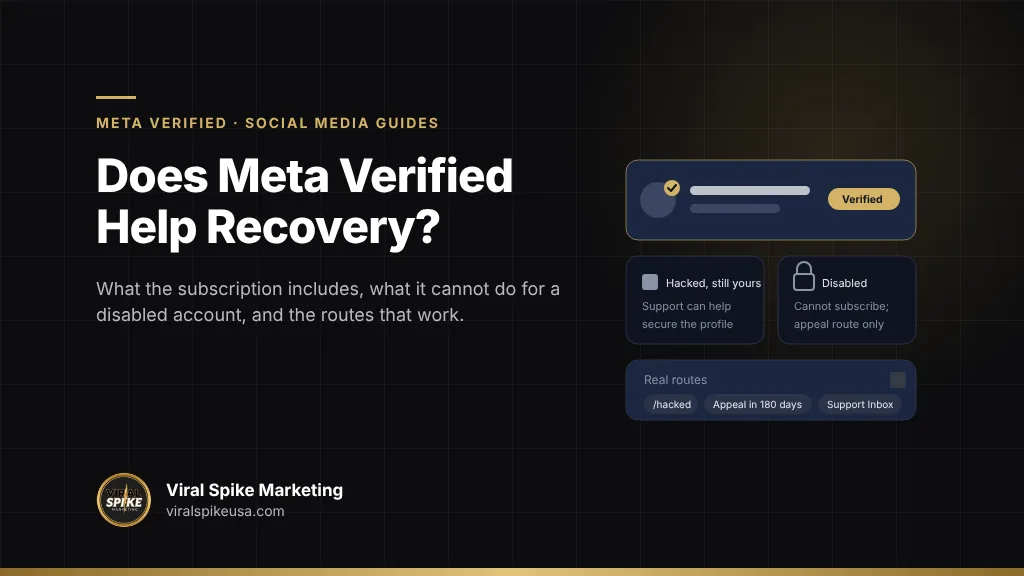
Meta Verified helps with account recovery in one situation: you already subscribe on the profile in question, it is still active, and the problem is a security or access issue such as a takeover, a changed email or a lost login method. Meta’s enhanced support, “direct help from human agents through chat and email,” lists “general profile access or security issues” among its supported topics, which gives a subscriber a route to a person that a free account lacks. It does nothing for an account that is already disabled. You must be logged in to an eligible, active profile that follows the Community Standards to subscribe, benefits “only apply to your subscribed profile,” and a subscription on a profile that violates policy is revoked, taking “support and any open cases” with it. A disabled account cannot buy its way back, and a second account’s subscription does not reach it. The real routes are Meta’s appeal at login, within the window it sets, and its identity verification; for a hacked account, the flows at facebook.com/hacked and instagram.com/hacked. Meta Verified is insurance to buy before trouble, and almost never a cure after.
Key takeaways
- Meta Verified includes a verified badge, impersonation protection (“Meta will remove accounts that we determine are pretending to be you”), enhanced chat and email support, and discovery features, on plans from $14.99 a month in-app ($11.99 on the web) for Standard to $499.99 for Max.
- Support is a benefit of an active subscription on the subscribed profile. Meta’s own note adds that the enhanced support feature “may not be available to all subscribers at this time.”
- To subscribe you must be 18 or over, in an eligible country, logged in to an eligible active profile with Advanced Protection on, with a government ID, and compliant with the Community Standards. A disabled account fails on the first step.
- Facebook gives 180 days to appeal a suspension; if the appeal fails or the window passes, the account is permanently disabled and “you won’t be able to request another review.” No subscription changes that.
- Worth it: creators and businesses who face impersonation or want a human to reach when something goes wrong. Not worth it: anyone buying it to fix an account that is already gone.
What does Meta Verified actually include?
Meta’s own description, from the Meta Verified page and the benefits help article, is a subscription “for creators and businesses that helps you build more confidence with new audiences, protect your brand from impersonation and more efficiently engage with your audience.” The benefits, by plan:
| Benefit | Standard | Plus | Premium | Max |
|---|---|---|---|---|
| Monthly price per profile | $14.99 in-app, $11.99 on the web | $49.99 | $149.99 | $499.99 |
| Verified badge | Yes | Yes | Yes | Yes |
| Impersonation protection (“proactive impersonation monitoring”) | Yes | Yes | Yes | Yes |
| Enhanced support | Chat and email agents | Plus prioritized resolution | Plus request a call from an agent | Plus active case monitoring |
| Search optimization, featured profile, link images, stickers | Partial | Yes | Yes | Yes |
| Links in Reels | No | 2 per month | 4 per month | 6 per month |
| Personalized content strategy advice | No | No | No | Yes |
Three pieces of fine print on that page matter for recovery. First: “Plans, benefits, and availability may vary by region, by app, and by account,” and the enhanced support feature “may not be available to all subscribers at this time.” Second: benefits “(including support access) only apply to your subscribed profile and will not be available for profiles that are not Meta Verified.” Third: to subscribe “you must be logged into” the personal or professional account in question. Meta Verified for businesses is a separate product with its own help center; this article covers the creator and personal-profile subscription. Meta’s page also notes that Meta Verified features are now offered inside a broader subscription called Meta One.
What does Meta Verified support actually cover?
Meta’s help article on contacting Meta Verified Support is the most useful document in this discussion, because it lists what the agents will take on. Enhanced support “offers direct help from human agents through chat and email,” requests “are prioritized, resulting in faster response times and quicker resolutions,” and the benefit is “only available for active Meta Verified subscriptions.” The supported issue types are:
- Meta Verified subscription management
- Payments, billing and refunds for the subscription
- Questions about verification status
- “General profile access or security issues”
- Profile editing, review and management
Email support is 24/7; chat and phone hours vary; chat is available only in the mobile apps, “not available on computers.” The “general profile access or security issues” line is where recovery lives: a subscriber who is locked out, whose email was changed by an intruder, or who lost a two-factor device can open a case with an agent instead of relying on automated flows. Meta’s Meta Verified troubleshooting guidance says the same in plainer words: “If you were hacked and lost access to your Meta Verified account we can help you secure it.”
Not on the list: appeals of enforcement decisions. Nothing in Meta’s description says an agent can review or reverse a suspension, a disable or a content strike. Subscribers sometimes get a faster human read on a wrongful suspension, a real advantage of paying before trouble, but it is neither promised nor an appeal channel.
Why can’t you buy Meta Verified to recover a disabled account?
Because every rule in the subscription assumes a working account. Meta’s eligibility requirements say that to purchase you must be at least 18, located in a country where Meta Verified is available, have “an eligible Instagram or Facebook profile,” have a government-issued photo ID, not have exceeded the limit on recent profile changes, and “agree to the Meta Verified Terms of Service and follow the Instagram Terms of Use, Facebook Terms of Service, and Community Standards.” The profile itself must have Advanced Protection turned on and “meet minimum activity requirements.” The subscription process then runs from inside the logged-in app: choose the profile, pay, confirm identity, and wait for a review that “can take up to 3 business days.”
| Account state | Can you subscribe? | Does an existing subscription help? | What actually applies |
|---|---|---|---|
| Active, hacked, you still have some access | Yes, if eligible | Yes: agents handle access and security issues | Secure the account through the hacked flow; open a support case |
| Active, hacked, intruder changed everything | Not while locked out | Partly: support is tied to the profile, and you must reach it from a logged-in app or email thread | facebook.com/hacked or instagram.com/hacked, then identity verification |
| Suspended, appeal window open | No, in practice: you cannot complete the in-app flow | Not as an appeal channel; a subscriber may get a faster human look | Appeal at login within the window; supply what Meta asks for |
| Permanently disabled | No | No; a policy violation revokes the subscription and closes open cases | Only what remains of the official appeal and verification process |
| New account created to “get support” | Yes, if the new account is eligible | No; benefits apply only to the subscribed profile | Nothing; this does not reach the lost account |
The last row is the trap people fall into. A second account, verified and paid for, is a second account. Meta’s rule that benefits apply only to the subscribed profile means its support agents are not a channel for a different, disabled profile. The revocation article closes the loop from the other side: “If your verified account violates our policies, your subscription will be revoked,” and on revocation “you’ll immediately lose access to all Meta Verified subscription benefits (this includes support and any open cases with the support team).” An account disabled for a Community Standards violation loses the subscription at the same moment it loses the account.
What are the real recovery routes for a disabled account?
They are the ones Meta publishes, and they have deadlines. For Facebook, the help page on suspended or disabled personal accounts states that Meta may suspend an account that does not follow the Community Standards, that “you can appeal the suspension within 180 days,” and that “if you don’t appeal the suspension after 180 days or if your appeal isn’t successful, we’ll permanently disable your account,” after which “you won’t be able to request another review of the decision.” Meta also notes it may disable an account without suspending it first “in cases of severe or time-sensitive violations.” For Instagram, the disabled accounts page says that if you think the decision was a mistake “you may be able to ask us to review the decision by logging into Instagram and following the on-screen instructions.”
- Log in and read the exact notice. The screen tells you whether the account is suspended (appealable) or disabled, and which policy Meta cites. Screenshot it.
- Appeal from the login screen, once, with the information requested. Meta commonly asks for a photo ID or a selfie video to confirm identity. Send what is asked, in the format asked, and nothing extra. The step-by-step is in how to recover a disabled Instagram account.
- Check Account Status and the Support Inbox. Decisions and requests for more information land there, not only in email.
- If the appeal is rejected, the remaining options are narrower: a second submission only where Meta’s screen still offers one, correcting a defect in the first (wrong ID, name mismatch), and the structured routes for specific situations such as a hacked-then-disabled account. What is left after a rejection is laid out in Instagram appeal rejected: your remaining options.
Nowhere in that sequence is there a button a subscription unlocks. What case preparation adds is identifying which flow applies, assembling ownership evidence (original email and phone, creation date, ID matching the profile name, prior device access), and submitting through the channel Meta built for that situation. The official channels are mapped in Meta account recovery help: navigating official support channels.
What are the real recovery routes for a hacked account?
Here Meta Verified can help, but the free routes come first and are usually what resolves it. The same order applies on other networks, and our walkthrough for a Snapchat account that has been locked starts with the free routes as well.
- Facebook. Meta’s hacked account page says: “If someone hacked your account, visit www.facebook.com/hacked on a device you’ve used to log into Facebook before.” The prior-device detail matters; Meta’s systems recognize the device and the flow succeeds more often from it. The full walkthrough, including the changed-email case, is in how to recover a hacked Facebook account.
- Instagram. The hacked profile page lists the steps in order: check your email for a message from security@mail.instagram.com and use “secure my account” to undo an email change; request a login link to your email or phone from the Forgot password screen; request a security code; and if you no longer have access to the username, email or phone, use the dedicated recovery page (instagram.com/hacked) and follow the on-screen instructions, which may include identity verification.
- Then, if you subscribe, open a Meta Verified support case from the app once you have any access, under “general profile access or security issues,” to get a human to confirm the account is secured and to handle leftovers such as a two-factor method you cannot reach.
The first 48 hours decide most hacked cases, because an intruder who changes the email, phone and password and adds a two-factor device closes the self-service doors one by one. The order of operations is in the first 48 hours checklist for social media account recovery. If the hacker has also created copies of your profile, Meta Verified’s impersonation monitoring is one tool, and the manual report is another; see how to report and remove a fake Instagram account impersonating you.
When is Meta Verified worth paying for?
Judge it as insurance and as a brand tool, not as a rescue.
Worth it
- You are impersonated regularly. Meta says it “will remove accounts that we determine are pretending to be you,” and proactive monitoring beats filing a report per clone. Public figures, coaches, agents, anyone whose name sells something.
- The account is a business asset. If a week without access costs real money, a human support channel for security problems is cheap at the Standard price, where it is available for your region and account.
- You want the badge for conversion. That is a marketing decision, and a legitimate one.
Not worth it
- The account is already disabled. You cannot subscribe from a disabled profile, and a new profile’s subscription does not reach the old one.
- You expect it to overturn enforcement. Policy violations revoke the subscription; support does not list appeals among its issue types.
- You would be paying to reach “a person at Meta” for someone else’s account. Benefits apply only to the subscribed profile.
Two practical notes from Meta’s pages. Advanced Protection must be on to subscribe and “can’t be disabled once your subscription is active,” a security gain in itself. And once verified, you may not be able to change your username or date of birth without going through verification again, so settle the name first. Subscribing after a problem starts, with an account you can still access, can be sensible: review takes up to three business days, and the support channel then exists for the security issue. Subscribing after the account is gone is money spent on the wrong account. What paid help can and cannot do is covered in what a social media recovery service can and cannot do for you.
How do Meta Verified support and a recovery service differ?
Meta Verified support is a customer service channel for your subscribed, active profile. A recovery service is case work aimed at Meta’s official channels on an account you have lost. X Premium sits in the same category, and the limits show up the same way when X suspends an account for inauthentic behavior.
| Question | Meta Verified support | Recovery service |
|---|---|---|
| Works on a disabled account? | No; the subscription cannot be bought or kept on one | Yes, through the appeal and verification routes, with evidence |
| Works on a hacked account? | Yes, for a subscriber with some access, as a security issue | Yes, including the changed-email, lost two-factor cases |
| Who decides the outcome? | Meta | Meta; the service prepares and submits |
| Cost model | Monthly subscription per profile | Per case; a legitimate one puts the refund term in writing first |
| Red flags | None, it is Meta’s product; check regional availability of the support feature | Anyone asking for your password, promising a Meta “contact,” or charging per attempt with no refund term |
Any legitimate service works only through the routes above. There is no back channel; anyone selling one is selling nothing or a phishing attempt. This is general information about platform rules, not legal advice; terms, prices and availability are Meta’s and change.
Where Viral Spike fits
Viral Spike’s social media recovery service is for the cases Meta Verified does not cover: disabled and suspended Instagram and Facebook accounts, hacked accounts where the intruder has changed the email, phone and two-factor method, and business assets lost with them. We identify the official Meta route that applies, prepare the ownership and identity evidence it asks for, and submit and follow the case through Meta’s channels; we never ask for your password and we do not claim contacts inside Meta. The engagement is on one term, put in writing before any work starts: full recovery or a full refund. Where an account was used to impersonate you or damage your name while it was out of your hands, our reputation management service handles the clean-up in search and on the platforms. To find out which route your case needs, contact us with the username and the exact notice Meta showed you.
Decide by the state of the account, not by the price of the badge
If the account is active and you rely on it, subscribe now, turn on Advanced Protection, and keep the original email, phone and creation date somewhere safe. If it is hacked and you still have any access, run the hacked flow first and open a support case second. If it is suspended, appeal from the login screen within the window with exactly what Meta asks for. If it is disabled and the appeal is gone, do not buy a subscription on a new profile expecting it to reach back; get the case assessed on the routes that still exist. The badge is worth having. It is not a key.
Frequently asked questions
Does Meta Verified help you recover a disabled Instagram account?
No. To subscribe you must be logged in to an eligible, active profile that follows the Community Standards, and Meta says benefits apply only to the subscribed profile. A policy violation revokes an existing subscription and closes any open support cases. The route for a disabled account is the review Meta offers at login, which may include identity verification; for Facebook the appeal window is 180 days, after which the account is permanently disabled with no further review.
Can Meta Verified support help with a hacked account?
Yes, for a subscriber whose profile is active. Meta lists general profile access or security issues among the topics its chat and email agents handle, and its troubleshooting guidance says that if you were hacked and lost access to your Meta Verified account it can help you secure it. Start with the free flows at facebook.com/hacked or instagram.com/hacked, from a device you have used before, then open a support case from the app once you have access.
How much does Meta Verified cost?
For creators and personal profiles, Meta’s page lists Standard at $14.99 a month in the app or $11.99 on the web, Plus at $49.99, Premium at $149.99 and Max at $499.99 per profile per month. Standard can be bought on web or mobile; the higher plans are mobile-app only. Bundling one Instagram and one Facebook profile on the same Meta Account can earn a discount. Prices, plans and availability vary by region, app and account.
What is included in Meta Verified support?
Chat and email help from human agents on all plans, with email available 24/7 and chat only in the mobile apps; prioritized handling on Plus, Premium and Max; a call-back option on Premium and Max; and active case monitoring on Max. Supported issues are subscription management, billing and refunds, verification status, general profile access or security issues, and profile editing or review. Meta notes the enhanced support feature may not be available to all subscribers.
Can I buy Meta Verified on a new account to get my old account back?
No. Meta states that Meta Verified benefits, including support access, apply only to the subscribed profile and are not available for profiles that are not verified. A new account’s subscription gives its agents no role in a different, disabled account. The only paths for the lost account are Meta’s own appeal and identity-verification routes, or the hacked-account flows if it was taken over, each of which must be used within the limits Meta sets.
Will Meta Verified stop people from impersonating me?
It helps. Meta describes impersonation protection as proactive monitoring and says it will remove accounts it determines are pretending to be you. It does not catch everything, so keep reporting clones manually through the impersonation report, and keep your own profile name, photo and bio consistent so the match is obvious. Verification itself also makes the real account easier for followers to identify when a copy appears.
Sources
Primary sources referenced in this article, in order of first use.
- Meta Verified page (meta.com)
- benefits help article (facebook.com)
- contacting Meta Verified Support (facebook.com)
- eligibility requirements (facebook.com)
- subscription process (facebook.com)
- revocation article (facebook.com)
- suspended or disabled personal accounts (facebook.com)
- disabled accounts page (facebook.com)
- hacked account page (facebook.com)
- hacked profile page (facebook.com)

More in Social Media Guides