
How to Remove Facebook Reviews and Recommendations: Reporting, Turning Recommendations Off, and What to Do When a Page Is Attacked
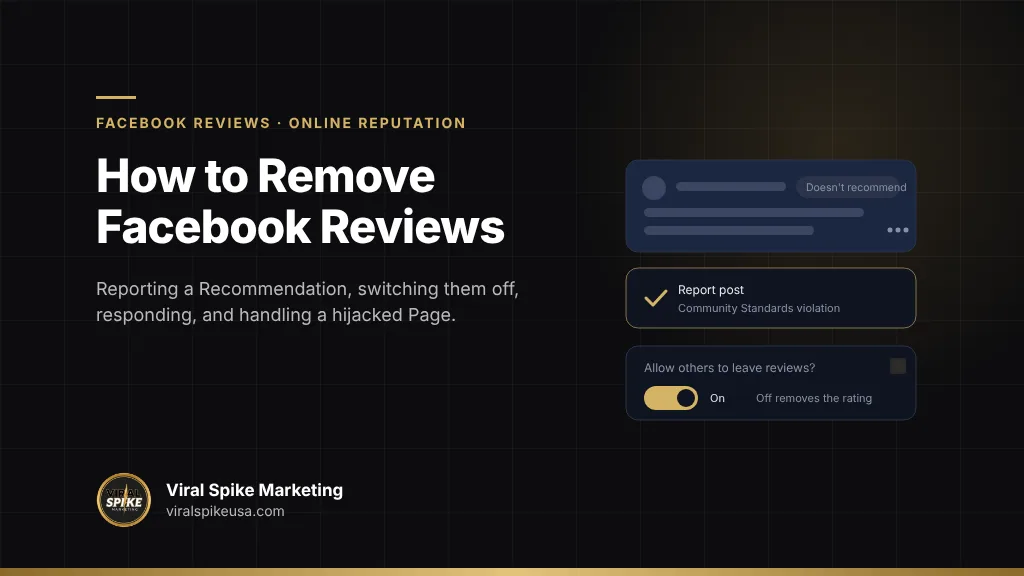
You can remove a Facebook review, which Facebook now calls a Recommendation, in two ways. The first is to report it: open your Page’s Reviews tab, select See all next to Recent reviews, open the three-dot menu on the post, choose Report post and follow the prompts. Meta’s help page says it will “review your report and may remove Recommendations that don’t follow our standards,” and that Recommendations with only a rating and no text “can’t be reported.” The second is to turn Recommendations off in the Page’s settings, which Meta says “will disable Recommendations and remove the rating and reviews from your Page,” every one of them, including the five-star ones. Meta does not remove a Recommendation because it is negative or because you dispute it, and the Community Standards it applies carve out business reviews from the bullying rules that protect private individuals. So the practical plan for most negative Recommendations is a public reply, more real customers recommending you, and a search presence that does not depend on the Page. The exception is a Page that has been hijacked and is being used against you, which is a recovery problem first and a review problem second.
Key takeaways
- Facebook Pages use Recommendations (recommend or not, plus text) rather than star reviews; the Page rating is derived from public Recommendations and only shows once a Page has at least five.
- Meta removes Recommendations that break its Community Standards: spam, fake accounts, harassment, hate speech, scams and similar. A negative opinion from a real person is allowed.
- Rating-only Recommendations cannot be reported, and Meta “does not verify that users purchased the product or used the service” they review.
- Turning Recommendations off removes the rating and all Recommendations from the Page; turning them back on restores the feature, and Meta notes a Page that previously had reviews has them on automatically.
- Buying positive Recommendations or threatening reviewers violates Meta’s spam policy and the FTC’s 2024 rule on fake reviews, so the lawful levers are response, real review generation and search suppression.
What are Facebook Recommendations, and how is the Page rating calculated?
A Recommendation is a post in which someone says whether they recommend your Page and, optionally, why. Meta’s help page on how Page review count and recommendation score are determined sets out the rules that matter when you are trying to get one removed:
- A Page’s rating “is based on the reviews and recommendations people share about the business Page,” and “a Page may not have a rating if it hasn’t received at least 5 reviews.”
- Reviewers choose an audience. “Only recommendations that are shared publicly are included in a Page’s overall rating,” so a Recommendation shared with friends counts in their view of the Page but not in your score.
- When you switch into the Page as admin, the review count you see is the public count, “which are the only reviews that help calculate the recommendation score.” Public reviews show a globe icon next to the date.
- “Any Page reviews that violate our spam policies will be removed,” and the rating may change when they are.
- “We do not verify that users purchased the product or used the service they are reviewing or recommending.”
Two consequences follow. A hostile Recommendation shared only with the author’s friends is not pulling your rating down, and a rating-only “doesn’t recommend” is unreportable but also the least damaging kind, since there is nothing for a prospect to read.
Which Recommendations will Meta remove?
Meta’s help page on reporting a Recommendation or review says you can report Recommendations “that don’t follow our Community Standards.” The Community Standards are the same rules that apply to every post on Facebook, Instagram, Messenger and Threads, so the question is never “is this review unfair” but “which standard does this post break.”
| Community Standard | What Meta prohibits (from the policy text) | How it shows up in a Recommendation | Removal odds |
|---|---|---|---|
| Spam | Content “designed to deceive, mislead, or overwhelm”; posting “at very high frequencies”; buying or selling engagement | Waves of identical posts from new accounts; copy-pasted text across Pages | Good when the pattern is visible |
| Inauthentic Behavior | Fake accounts or Pages used to “deceive Meta or our users about the identity, or origin of an audience”; misuse of reporting systems “to harass, intimidate or silence others” | A competitor posting through sock accounts | Good when accounts are clearly fake; Meta removes the accounts, which removes their posts |
| Bullying and Harassment | Threats, unwanted repeated contact, doxxing, degrading content about private individuals; some tiers require the target to self-report | A review that threatens a staff member or publishes their home address | Good for threats and private information; weak for insults about service |
| Hate Speech | Attacks on people based on protected characteristics | A slur aimed at the owner or staff | Good |
| Prohibited Commercial Practices | Deceiving people out of money, property or information; scam links; “links that appear to lead to legitimate commercial sites but instead lead to scam sites” | A “review” that is really a phishing link or a pitch for a scam | Good |
| None | An honest, negative, first-person opinion | “Waited 40 minutes, food was cold, will not return” | Stays up; respond |
One line in the Bullying and Harassment policy deserves attention. In the tier that protects private adults, Meta removes “negative character or ability claims, except in the context of criminal allegations and business reviews against adults.” Meta wrote the business-review exception into its own rule. A Recommendation that calls you incompetent is, in Meta’s framework, a business review, not harassment of a private person. Reports built on “this is bullying” fail for that reason; reports built on a threat, a doxxing, a fake account or a spam pattern succeed.
How do you report a Facebook Recommendation step by step?
The flow, as Meta describes it on the reporting help page:
- Go to your Page and click Reviews under Details, below the cover photo. (On some layouts you first select More.)
- Click See all next to Recent reviews.
- Click the three-dot Options menu in the top right corner of the Recommendation.
- Select Report post.
- Follow the on-screen instructions and choose the reason that matches the Community Standard you identified: spam, harassment, hate speech, false information, scam, or another listed category.
Then: “We’ll review your report and may remove Recommendations that don’t follow our standards.” Meta gives no timeline, and the outcome arrives through your Support Inbox or notifications, not by email in most cases. A few things improve the odds.
- Report the account too, when the account is the problem. If the author is a fake profile or a serial attacker, open the profile and report it under the identity or spam options. Meta’s Inauthentic Behavior enforcement removes assets, and a removed account takes its Recommendations with it.
- Have the targeted person report threats and private-information posts. Meta’s bullying policy says that for some content “we require self-reporting because it helps us understand that the person targeted feels bullied or harassed.” If a staff member is named and threatened, their report counts for more than yours.
- Report each post once. Repeated reports of the same post do not stack, and Meta’s Inauthentic Behavior policy prohibits misusing reporting systems to silence others; mass-reporting an honest critic can rebound on your own account.
- Keep a log. Screenshot the Recommendation with its date and audience icon before you report; it may be edited or its audience changed afterward. Meta’s page notes a Recommendation you can no longer find “may have been removed or the person who posted it may have changed the audience.”
Should you turn Recommendations off, and what does it cost you?
Meta’s help page on turning Recommendations on or off gives the path: click your profile photo, then Settings & privacy, then Settings, then Page and tagging, and toggle Allow others to view and leave reviews on your Page?. Off means exactly what the page says: it “will disable Recommendations and remove the rating and reviews from your Page.”
| Decision | What you lose | What you gain | When it makes sense |
|---|---|---|---|
| Keep Recommendations on and report the violators | The honest negatives stay visible | Rating, social proof, Meta’s note that Recommendations “may make your Page easier to find in Facebook search” | Most Pages with a mixed but real review history |
| Turn Recommendations off | Every Recommendation and the rating, including the positive ones; the Reviews tab goes dark | Immediate end to a live attack; no reviews to defend | A review-bombing in progress, a Page under hijack, a business that never used the feature |
| Turn off, then back on later | Nothing permanent; Meta’s page describes a toggle, not a deletion | A pause during a crisis | When the attack is tied to a news event and will pass |
The feature is a switch, not an eraser. Meta’s page notes that if a Page “previously had reviews, Recommendations have been automatically turned on,” and that when you cannot find a review you should check the Recommendations filter before assuming removal. Turning the feature off during a coordinated attack, reporting the violating posts, and turning it back on once the spike has passed is a legitimate sequence; using “off” as a permanent answer to one bad review trades a 4.6 rating for no rating, and prospects read an absent rating as a hidden one.
How should you respond to a negative Recommendation you cannot remove?
A public reply is the part of the Page you control, and prospects read it as a sample of how you treat people when something goes wrong. The structure that works: name the specific issue, say what you changed or checked, offer a direct contact, and stop. Adaptable wording for the common situations is in our negative review response templates. A few rules particular to Facebook:
- Reply as the Page, not from your personal profile. Personal replies read as the owner taking it personally, and they pull your personal profile into the thread.
- Do not reveal anything about the customer. Confirming an order, a visit date or a medical detail in public creates a privacy problem of your own.
- Do not ask them to change or delete it in exchange for anything. Meta’s Spam policy prohibits buying or exchanging engagement, and the FTC’s final rule on fake reviews, announced August 14, 2024, bans paying for reviews conditioned on sentiment and “review suppression” through threats or intimidation, with civil penalties for knowing violators.
- Use the audience rule. If the Recommendation is friends-only, it is not in your rating. Reply once, briefly, and move on.
Then do the thing that moves the rating: ask real customers to recommend you. A Page with 60 public Recommendations absorbs a negative in a way a Page with six cannot. The Consumer Review Fairness Act, in the FTC’s business guidance, bars contracts that restrict or penalize honest reviews, so the request has to be open and the outcome has to be theirs. This is general information, not legal advice.
What do you do when a Page is hijacked and the reviews are weaponized?
A common pattern: an admin’s account is phished or a rogue admin is added, the Page’s name or category changes, and the attacker posts fake Recommendations or deletes your replies to real ones. Sometimes the Page runs scam ads while the reviews fill with victims’ complaints about a business that is no longer you. The reviews are a symptom. Recovery comes first, reviews second.
- Secure the admin accounts. Meta’s hacked account help page directs anyone whose account was taken over to facebook.com/hacked “on a device you’ve used to log into Facebook before,” and lists a separate flow to recover a hacked Facebook Page you manage. Every admin and editor changes passwords and turns on two-factor authentication.
- Audit Page roles and Business Manager. Remove unknown admins, revoke unfamiliar partner access, check for a Business Portfolio you did not create that now owns the Page. The full checklist is in Facebook Page hacked: recovery steps for admins and owners, and the account-level steps are in how to recover a hacked Facebook account.
- Freeze the Reviews tab. Turn Recommendations off while control is contested. It stops the attacker adding or using them, and it hides the scam-victim complaints until you can address them.
- Document, then report. Screenshot the fake Recommendations with dates, note the accounts, and report each under Spam or Inauthentic Behavior once you have control. Meta’s Account Integrity policy says it may restrict or disable accounts, Pages and business assets that violate its standards or are “owned by the same person or entity as an account that has been disabled,” which is the enforcement you want pointed at the attacker, not at you.
- Tell your customers somewhere you control. Your website, Google Business Profile and email list carry the “our Facebook Page was compromised” notice while the Page is being recovered, so that scam victims and real customers can find the truth.
Where the self-service flows fail, the remaining routes run through Meta’s official support channels and documented ownership evidence.
How does Facebook compare with Google and Yelp for review removal?
The same review, posted on each platform, meets a different rulebook.
| Question | Yelp | ||
|---|---|---|---|
| Can you switch reviews off? | Yes, Page-wide, losing the rating | No | No |
| Does the platform verify a purchase? | No, by its own statement | No | No; its software filters reviews it does not trust |
| Removal basis | Community Standards (spam, fake accounts, harassment, hate, scams) | Maps content policy (fake engagement, conflicts of interest, off-topic, harassment) | Content Guidelines (conflicts of interest, relevance, privacy, threats) |
| Formal appeal | Through Support Inbox; no published structure | One appeal per review in the Reviews Management Tool | Report once; moderator decision |
| Hidden reviews | Audience-restricted posts do not count in the rating | None | “Not recommended” section does not count |
| Asking for reviews | Allowed, nothing offered in return | Allowed, nothing offered in return | Discouraged; solicited reviews are a filter signal |
The Google process is walked through in how to remove Google reviews, and the Yelp rules in how to remove Yelp reviews. If your Facebook Page is the first result for your business name, which is common for local businesses with thin websites, the search side of the problem is covered in how to suppress negative search results the right way.
Where Viral Spike fits
Viral Spike’s review removal service starts with a written review-by-review assessment of your Recommendations against Meta’s Community Standards: which ones match a specific standard, what evidence supports each report, and which are honest opinions no report will touch. Reports are filed through Meta’s official channels. The reviews we take on are removed or you receive a full refund: we assess every review against Meta’s policy in writing first, so we only take on reviews with a basis, and the terms are in your agreement before any work starts. The removal work is scoped and paid upfront with a record of every filing. Our reputation management service handles the rest: Page replies, a compliant program for asking real customers to recommend you, and the search presence around the Page. If the problem began with a hijacked Page or admin account, our social media recovery service works through Meta’s official recovery routes on a simple term, put in writing before any work starts: full recovery or a full refund. To find out which applies, contact us with the Page link.
Sort the Recommendations into three piles, then act on each
Open the Reviews tab and sort every negative Recommendation into: breaks a Community Standard with evidence, honest opinion, and rating-only with no text. Report the first pile this week, one standard and one proof per post. Reply to the second pile in two or three calm sentences each. Ignore the third. Then ask your next twenty customers to recommend the Page, with nothing offered, and check in a month whether the rating moved. If the Page itself is not fully under your control, stop and recover it first; nothing else holds until it is.
Frequently asked questions
Can I delete a review on my Facebook Page?
Not directly. You can report a Recommendation that breaks Meta’s Community Standards, and Meta says it will review the report and may remove it, or you can turn Recommendations off for the whole Page, which removes the rating and every Recommendation, positive ones included. Recommendations that contain only a rating and no text cannot be reported. An honest negative opinion from a real person does not violate any standard and will stay up if reported.
How do I report a Recommendation on Facebook?
Go to your Page, click Reviews under Details below the cover photo, click See all next to Recent reviews, open the three-dot Options menu on the Recommendation, select Report post and follow the on-screen instructions, choosing the reason that matches the Community Standard it breaks. If the author is a fake or abusive account, report the profile as well. Screenshot the post first, because it may be edited or its audience changed.
What happens if I turn off Recommendations on my Facebook Page?
Meta’s help page says turning Recommendations off will disable the feature and remove the rating and reviews from your Page. Prospects see no rating and no Reviews tab. It is a toggle, not a deletion: Meta notes that a Page that previously had reviews has Recommendations turned on automatically, and the feature can be switched back on from Settings, Page and tagging. It is useful during a live attack and costly as a permanent choice.
Why does my Facebook Page show a different number of reviews to different people?
Because reviewers pick an audience. Meta says only Recommendations shared publicly count toward the Page’s rating, while Recommendations shared with friends or a custom audience are visible only to those people and add to the count they see. As an admin switched into the Page, you see the public count, which is the number that drives the score. Public Recommendations show a globe icon next to the date.
Will Facebook remove a review from someone who was never a customer?
Only if the post or the account breaks a Community Standard, for example a fake account, a spam pattern, a threat or a scam link. Meta states that it does not verify whether reviewers bought the product or used the service, so ‘this person was never a customer’ is not a removal ground on its own. Build the report around the evidence of inauthenticity, and have any staff member who is threatened report the post themselves.
My Facebook Page was hacked and is filling with fake reviews. What do I do first?
Recover control before touching the reviews. Send every admin to facebook.com/hacked from a device they have used before, reset passwords, turn on two-factor authentication and remove unknown Page roles and partner access in Business Manager. Turn Recommendations off while control is contested, document the fake posts with dates and account names, then report them under Spam or Inauthentic Behavior once the Page is yours again. Notify customers through channels you control.
Sources
Primary sources referenced in this article, in order of first use.
- how Page review count and recommendation score are determined (facebook.com)
- reporting a Recommendation or review (facebook.com)
- Community Standards (transparency.meta.com)
- Spam (transparency.meta.com)
- Inauthentic Behavior (transparency.meta.com)
- Bullying and Harassment (transparency.meta.com)
- Prohibited Commercial Practices (transparency.meta.com)
- turning Recommendations on or off (facebook.com)
- final rule on fake reviews (ftc.gov)
- business guidance (ftc.gov)
- hacked account help page (facebook.com)

More in Online Reputation
 How to Remove Google Reviews: Step by Step Through Flagging, the Reviews Management Tool, Appeals and Legal Requests
 How to Remove Trustpilot Reviews: Flagging Rules, What Trustpilot Deletes, and What to Do When It Says No
 How to Remove Glassdoor Reviews: What Glassdoor Removes, What It Never Will, and How Employers Should Respond
Related services