
How to Get a Google Knowledge Panel for a Business or Brand (and Keep It Accurate)
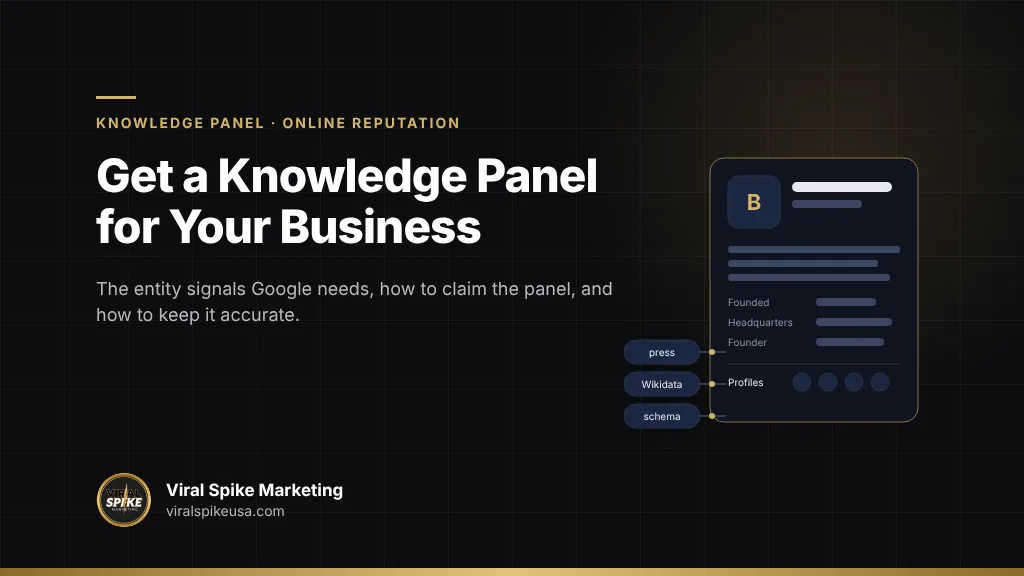
A Google knowledge panel for a business or brand appears when Google’s Knowledge Graph recognizes the company as a distinct entity and has enough confirmed facts about it to fill the box. You cannot apply for one. What you can do is give Google the signals it uses to create and confirm an entity: a consistent name and description across your own site, authoritative third-party records such as Wikidata and Wikipedia, business databases such as Crunchbase and LinkedIn, Organization structured data with sameAs links tying those records together, and independent coverage in recognized publications that corroborates the facts. Once the panel exists, the official representative can claim it through the “Claim this knowledge panel” link, verify through a linked property such as the website or a social account, and suggest corrections that Google reviews against other public sources. This is different from a Google Business Profile, which is for businesses that serve customers at a location or service area and which you create and control directly. This guide covers brands, companies and organizations; for an individual, see how to get a Google Knowledge Panel for a person.
Key takeaways
- Two different boxes look alike: a Business Profile panel, which a local or service-area business creates itself, and a Knowledge Graph brand panel, which Google generates automatically for entities it recognizes.
- Google’s Knowledge Graph is built from “various sources across the web” plus data partners; the more independent, consistent sources describe your business the same way, the more likely a panel appears and stays accurate.
- Organization structured data has no required properties, but Google says some properties feed the logo and knowledge panel; sameAs links to your official profiles are the connective tissue.
- Claiming is done through the panel itself; verified representatives get priority on corrections, which Google checks against public evidence and typically answers within days.
- AI assistants draw on the same entity facts, so a wrong founding year or outdated description in the Knowledge Graph tends to be repeated in AI answers until the sources are fixed.
Business Profile panel vs Knowledge Graph brand panel: which one do you need?
Google shows two kinds of panel for businesses, and most confusion about “getting a knowledge panel” comes from mixing them up.
| Google Business Profile panel | Knowledge Graph brand panel | |
|---|---|---|
| Who it is for | Businesses that serve customers at a physical location or within a service area, including practitioners such as doctors and lawyers | Companies, brands, organizations, products and other entities Google recognizes, regardless of location |
| How it is created | You create or claim it in Google Business Profile and verify the location | Google generates it automatically from the Knowledge Graph; it cannot be created on request |
| What it shows | Address, hours, phone, reviews, photos, posts, map | Description, logo, founding date, founders, headquarters, subsidiaries, social profiles, stock ticker, related searches |
| What you control | Almost everything, directly, in the Business Profile dashboard | Suggestions only, after claiming; Google decides based on public evidence |
| Where the facts come from | You, plus user reviews and Google’s own data | Wikipedia and Wikidata, licensed data partners, business databases, your site’s structured data, press and other web sources |
| Typical trigger | Searches for the business name, often with a location, and map searches | Searches for the brand name, founder, products, or “about” queries |
Google’s own knowledge panel help explains the split: it describes knowledge panels as automatically generated boxes for “people, places, organizations, or things in the Knowledge Graph,” and notes that Business Profiles “look similar to knowledge panels but are for businesses that serve customers at a specific location or within a service area,” per Google’s knowledge panel overview. The eligibility rules for a Business Profile are in Google’s Business Profile guidelines: a physical location customers can visit, or a business that travels to customers; virtual offices, P.O. boxes and unstaffed co-working addresses do not qualify, and the name must match the real-world name used consistently on signage.
A local business can and often should have both. A software company, an agency with national clients, a consumer brand or a media company usually cannot get a Business Profile for an office that customers never visit, so the Knowledge Graph panel is the only one available, and the rest of this article is about that one.
What the Knowledge Graph needs before it shows a brand panel
Google introduced the Knowledge Graph in May 2012 as a model of real-world entities and the relationships between them, “things, not strings,” launching with more than 500 million objects and 3.5 billion facts, per Google’s original announcement. A panel appears when the graph holds an entity for your business with enough confidence to display it. Google does not publish the threshold, but the inputs it names, and what practitioners observe, point to four groups of signals.
1. An unambiguous entity record
The graph has to resolve your brand to one thing with one name. If your company shares a name with a common word, a product or another company, Google needs disambiguating facts (industry, headquarters, founders, founding year) and will often decline to show a panel until it has them. A distinctive legal name used consistently everywhere is the cheapest signal you have.
2. Authoritative third-party records
Wikipedia and Wikidata are the structured sources Google draws on most visibly. A Wikipedia article requires notability under Wikipedia’s rules, which most small and mid-sized businesses do not meet; whether you qualify is covered in do you qualify for a Wikipedia page. Wikidata is more accessible. Under Wikidata’s notability policy, an item is acceptable if it has a valid Wikipedia-family sitelink, or if it refers to “a clearly identifiable conceptual or material entity that can be described using serious, publicly available references,” or if it serves a structural need. A company with coverage in recognized publications and a presence in business registries usually meets the second test. Beyond those, Crunchbase, LinkedIn company pages, OpenCorporates and state business registries, industry directories and stock exchange records all supply facts Google can cross-check.
3. Your own site, marked up
Google’s documentation on Organization structured data says the markup helps Google understand your organization’s administrative details and “tell your organization apart from others,” and that some properties feed visual elements including the logo in results and the knowledge panel. There are no required properties; Google recommends adding every one that applies. The ones that matter for entity resolution are name, legalName, alternateName, url, logo (at least 112 by 112 pixels on a plain background), description, address, foundingDate, numberOfEmployees, contactPoint, identifiers such as duns, leiCode, vatID or naics, and sameAs, the list of your official profiles on other sites. Google says to place the markup on the home page or an about page, use the most specific Organization subtype, and validate with the Rich Results Test. Its general guidance adds that structured data must describe content visible on the page, so the facts in the markup should also appear in the text.
4. Independent corroboration
Google’s overview says knowledge panel information comes from “various sources across the web,” and that is where press coverage enters. An article in a recognized publication that states your founding year, headquarters, founders and what you do is a source Google can weigh against your own claims. Several such articles, consistent with each other and with your records, are what turn a thin entity into a confident one. This is the same mechanism that decides whether AI assistants recommend you; the role of coverage is explained in how press coverage gets your brand recommended by ChatGPT.
A build order for a brand that has no panel
Work through these in sequence. Each step makes the next one more credible to Google’s systems.
- Fix the entity facts first. Write a one-paragraph canonical description: legal name, common name, what the company does, for whom, where it is headquartered, when it was founded, who founded it. Every subsequent step uses this paragraph verbatim or in close paraphrase.
- Align your own site. An About page that states those facts in visible text, Organization JSON-LD with the same facts and a complete sameAs list, a crawlable logo at the recommended size, and consistent name, address and phone (NAP) in the footer and contact page.
- Create or correct the business records. LinkedIn company page, Crunchbase, your state registry listing, industry directories, and Google Business Profile if you are eligible. Same name, same description, same founding year, same URL.
- Earn coverage that states the facts. Interviews, founder profiles and features in recognized outlets that mention the founding year, location and what the company does. Each one is a reference Google and Wikidata editors can use.
- Create the Wikidata item. Once you have serious, publicly available references, create a Wikidata item with instance of (business), official website, founding date, headquarters location, founder, industry, and identifiers such as LinkedIn and Crunchbase IDs, each statement referenced to a source. Stick to sourced, neutral facts and do not write promotional descriptions; unreferenced or promotional items are the ones that get challenged.
- Add the Wikidata ID to your sameAs. Link the item from your Organization markup so the graph can connect your site to the record.
- Wait, then check monthly. Search the brand name in a logged-out browser from a couple of locations. Panels can appear within weeks of the entity resolving, or take several months. If nothing appears after three months of consistent signals, revisit step 1: the name is usually the problem.
Two things to avoid. Do not create a Wikipedia article about your own company: Wikipedia’s conflict of interest guideline says editing about your own company or employer is “strongly discouraged,” paid contributors must disclose their employer and client, and the expected route is an edit request on the talk page rather than direct editing. An article created in breach of that is likely to be deleted, which leaves a worse trail than having none. And do not publish structured data that claims facts your site does not show; Google’s structured data guidance is explicit that markup should not describe information invisible to the user.
How to claim a business knowledge panel
Once the panel exists, claiming it gives you a verified channel for corrections. Google’s instructions are in its help article on getting verified on Google:
- Sign in to a Google Account and search for the business.
- At the bottom of the knowledge panel, click “Claim this knowledge panel.” On mobile it may be inside the menu or the About section.
- Review the information shown, then sign in to an official site or profile that is already linked to the panel, such as Search Console for the website, the company YouTube channel, or the verified X or Facebook account.
- If Google cannot find any associated sites, it will ask for more information to verify that you represent the entity.
Google notes that “not all knowledge panels are claimable as of now,” so if the link is missing, check back later. The article also says that local businesses serving customers at a location or service area should use a Google Business Profile instead, which is the Business Profile distinction again. After verification, an owner can add managers and contributors through the Contributor studio; owners and managers can suggest changes and manage users, contributors can only suggest changes, and only owners can transfer ownership. If someone else already manages the panel, Google waits three business days for the current managers to respond before making the panel claimable again, and you can submit suggestions through Feedback with your verified email in the meantime.
Practical note: the easiest verification path is Search Console. Make sure the official website is verified in Search Console under the Google Account you intend to use before you start, and that the panel’s displayed website is actually yours.
Suggesting edits and keeping the panel accurate
Verified representatives get priority on corrections, and Google can make some changes directly for them, such as social profile links. The process from Google’s help article on updating a knowledge panel: sign in with the verified account, confirm Web and App Activity is on, search for the entity, click “Suggest edits” at the top of the panel, click Edit next to the item, and submit each suggestion separately with a description and publicly accessible URLs that support the change. Google reviews the suggestion against other public information and emails the resolution; verified users typically hear back within a few days, and accepted changes are applied to the Knowledge Graph.
| Panel element | What you can do | What Google says it will not do |
|---|---|---|
| Featured image or logo | Replace an existing image with a direct, public image URL that represents the entity and is not an ad | Add an image where none exists |
| Title | Flag it with substantial evidence that the automated choice is not representative | Accept a preferred title without evidence |
| Subtitle (for example “Software company”) | Flag an inaccurate one so the system generates a replacement | Accept a custom subtitle |
| Description | Contact the source it came from (usually Wikipedia); with strong evidence Google may remove it | Edit or write a custom description |
| Social profiles | Suggest new profiles or correct existing ones | Change their order |
| Facts (founded, headquarters, founders, CEO) | Flag and supply supporting URLs | Accept a change unsupported by public sources |
The description row is the one that frustrates most brands. The panel’s text is usually the opening of the Wikipedia article or another source, and Google will not rewrite it. The fix is upstream: correct the source, or, where the description comes from the open web, publish and earn pages that state the current facts so the source changes. Maintaining the panel is therefore the same job as maintaining the entity: review the panel quarterly, after any rebrand, leadership change, acquisition or move, and update the site, the records and the Wikidata item before asking Google to change anything.
Why panels don’t appear, and how long things take
Google gives no public timeline for panel creation, and its claiming article only states that not every panel is claimable yet. From the signals above, the common causes of a missing or stalled panel are:
- Name ambiguity. The brand name is a dictionary word, a common surname, or shared with a larger entity. Google resolves the more prominent one and shows nothing for you.
- Inconsistent facts. Three founding years across your site, LinkedIn and Crunchbase; two different headquarters; a legal name on the registry that does not match the trading name anywhere else.
- No independent record. The only sources describing the company are its own site and social accounts. Google has nothing to corroborate.
- Markup without substance. Organization schema on a site whose visible pages do not state the same facts, or sameAs links to profiles that are empty or inconsistent.
- Too early. Signals are in place but recent. Recrawling, entity reconciliation and Wikidata ingestion are not instant.
Reasonable expectations: site and record alignment takes a week of work; earned or placed coverage that states the facts takes one to three months to be published and indexed; a Wikidata item is created in an afternoon once references exist; and a panel, where one is going to appear, tends to follow within a few weeks to a few months of the entity resolving. Corrections to a claimed panel are typically answered in days. A fuller picture of how press, search and entity work reinforce each other over that period is in the press-SEO-AI flywheel.
How AI answers reuse Knowledge Graph facts
The entity work that earns a panel is the same work that shapes what AI assistants say about your brand. Google’s AI Overviews and AI Mode are built on Search’s systems, which include the Knowledge Graph, and Google’s AI features documentation says no special markup or file is needed beyond what Search already uses; the structured data and consistent facts you publish for the panel are what those features draw on too. ChatGPT, Perplexity and the other assistants do not read Google’s graph directly, but they retrieve the same public sources Google used to build it: Wikipedia, Wikidata, LinkedIn, Crunchbase, your About page and press coverage. When those sources agree, the assistant states your facts with confidence; when they disagree or are missing, it hedges, guesses or omits you.
This has two consequences. A wrong fact in the panel is a warning that the same wrong fact is sitting in sources the assistants read, so fixing it at the source corrects both. And a brand with a clean entity record is easier for an assistant to recommend, because recommendation answers depend on being able to say what the company is and point to independent sources that confirm it. The way those engines select sources is covered in how ChatGPT and Perplexity choose their sources, and the broader discipline in what generative engine optimization is. Run your brand name through the major assistants before you start so you know which facts are currently wrong. For a local business, the practical version of that work is covered in how to get ChatGPT to recommend your local business.
Where Viral Spike fits
Viral Spike Marketing’s brand authority service runs the build order above as one program: the canonical entity description, site markup and record alignment, the Wikidata item where the references support it, and the corroboration layer that gives Google and the AI engines independent confirmation of who you are. That layer is built on guaranteed editorial placements in recognized outlets, where you approve the draft, the article is published and indexed on Google, and the engagement is refunded in full if it never runs. Panel claiming and corrections are handled as part of the AI search visibility service, since the same entity facts feed both. To find out whether your brand’s problem is the name, the records or the coverage, contact us.
Write the paragraph, then make the web agree with it
Start with the canonical description: one paragraph with the name, what you do, where you are, when you were founded and by whom. Then open your About page, your LinkedIn company page, your Crunchbase profile and your state registry listing side by side and make them match it. That afternoon of alignment is the single most common missing step behind a brand with no panel, and it costs nothing. The coverage and the Wikidata item come next, and the panel follows the entity.
Frequently asked questions
What is the difference between a Google Business Profile and a knowledge panel?
A Google Business Profile is for businesses that serve customers at a physical location or within a service area; you create and verify it yourself and control its contents directly. A Knowledge Graph knowledge panel is generated automatically by Google for entities it recognizes, including companies with no customer-facing location, and can only be influenced through entity signals and, once claimed, suggested edits that Google reviews against public sources.
Can I request a knowledge panel for my company?
No. Google creates knowledge panels automatically when its Knowledge Graph recognizes an entity with enough confirmed facts. You can make that more likely by using one consistent name and description everywhere, publishing Organization structured data with sameAs links, maintaining records on LinkedIn, Crunchbase and registries, creating a referenced Wikidata item, and earning coverage in recognized publications that states the same facts.
How do I claim my business knowledge panel?
Search for the business while signed in to a Google Account, click “Claim this knowledge panel” at the bottom of the panel, review the details, and sign in to an official property already linked to it such as Search Console, YouTube, X or Facebook. If Google cannot find an associated site, it asks for more verification. Not every panel is claimable yet; local businesses should use Google Business Profile instead.
Does a business need a Wikipedia page to get a knowledge panel?
No. Many brand panels exist without a Wikipedia article, built from Wikidata, business databases, structured data on the company site and press coverage. A Wikipedia article helps because it supplies a description and strong entity confirmation, but Wikipedia’s notability standard excludes most small and mid-sized companies, and writing your own article is a conflict of interest that usually ends in deletion. Wikidata’s criteria are more accessible.
How do I fix wrong information in my company’s knowledge panel?
Claim the panel, then use “Suggest edits” to flag the item with publicly accessible URLs that support the correction; Google reviews it against other public information and usually responds to verified users within a few days. Descriptions cannot be edited directly, since they come from a source such as Wikipedia; fix the source first. For facts, correct your site, LinkedIn, Crunchbase and Wikidata before submitting so the evidence agrees.
How long does it take to get a knowledge panel for a brand?
Google publishes no timeline. In practice, aligning your site and records takes about a week, coverage that states the facts takes one to three months to be published and indexed, and a panel, where one is going to appear, tends to follow within weeks to a few months of the entity resolving. Brands with ambiguous names or inconsistent facts can wait indefinitely until those are fixed. Corrections to a claimed panel are answered in days.
Sources
Primary sources referenced in this article, in order of first use.
- Google's knowledge panel overview (support.google.com)
- Google's Business Profile guidelines (support.google.com)
- Google's original announcement (blog.google)
- Wikidata's notability policy (wikidata.org)
- Organization structured data (developers.google.com)
- Wikipedia's conflict of interest guideline (en.wikipedia.org)
- getting verified on Google (support.google.com)
- updating a knowledge panel (support.google.com)

More in Online Reputation
Related services